

Best AI Tools for Event Planners – A Practical Guide From Someone Who Actually Tested Them

Event planning has always been a high-stakes juggling act. But the last two years have made it measurably harder.
Clients expect more personalization. Venues are booked further out. Vendor communication has multiplied across more platforms than ever. And somehow, the budget conversations have gotten more uncomfortable even as costs have gone up.
I have spent the last several months working alongside event planners – wedding coordinators, corporate event managers, conference organizers – watching how they actually use AI tools in their day-to-day work. Not in demos. Not in idealized workflow diagrams. In real planning cycles with real deadlines and real clients who change their minds on a Thursday afternoon.
What I found was not a revolution. It was something more useful than that – a set of specific tools that genuinely reduce the repetitive, time-consuming work that eats into the creative and relational parts of event planning that humans do best.
Here is an honest account of what works, what does not, and what is worth your time.
What Event Planners Should Actually Look for in an AI Tool
Before getting into specific tools, it is worth being clear about what the right AI tool should actually do for an event planner.
The areas where AI creates the most genuine value in this field are communication drafting, content creation, scheduling coordination, meeting documentation, and workflow automation between platforms. These are the tasks that are repetitive, time-consuming, and do not require the relationship intelligence and creative judgment that define great event planning.
The areas where AI consistently underdelivers are nuanced vendor negotiation, on-the-ground crisis response, client relationship management at the emotional level, and anything that requires understanding the specific culture and dynamics of a client organization. No AI tool handles those well. Any vendor claiming otherwise is overselling.
The question to ask of any AI tool before adding it to your workflow is simple – does this eliminate a repetitive task I currently do manually, or does it just create more things to manage?
With that filter in mind, here are the tools that pass the test
The Tools That Actually Earned Their Place
ChatGPT – Your First Draft for Almost Everything
What it does: Generates text, answers questions, drafts communications, builds templates, and thinks through problems conversationally.
Why event planners use it: The honest answer is that drafting takes a disproportionate amount of time in event planning. Vendor inquiry emails. Client proposal language. Run-of-show outlines. Post-event thank you notes. Welcome remarks for conference openings. None of these tasks require a human’s unique creative contribution – they require competent professional writing in a consistent voice.
ChatGPT handles all of them well.
Real use case: A wedding coordinator I worked with uses ChatGPT to generate the first draft of every vendor contract addendum – the specific language covering things like overtime clauses, weather contingency provisions, and photography access restrictions. She reviews and customizes each one, but the drafting time dropped from 45 minutes to under 10. Across a season of 30 weddings, that is a meaningful return.
Limitations: ChatGPT does not know your client, your vendor relationships, or the specific tone that works for your brand. Everything it produces needs your editorial eye. Treat it as a capable junior writer, not a finished product machine.
Pricing: Free tier available. ChatGPT Plus at $20 per month unlocks GPT-4o and better performance for complex tasks. openai.com/chatgpt
Claude – Better for Long Documents and Nuanced Drafting
What it does: Everything ChatGPT does, with notably stronger performance on longer documents, more nuanced tone calibration, and more careful handling of complex instructions.
Why event planners use it: Corporate event managers dealing with multi-day conference programs, detailed run-of-show documents, and sponsor communications have found Claude handles the complexity and length of these documents better than other AI writing tools.
Real use case: A conference organizer managing a three-day industry event used Claude to draft the full attendee communications sequence – 14 individual emails covering registration confirmation, pre-event logistics, session reminders, day-of updates, and post-event follow-up. She gave Claude the event schedule, the venue logistics, and her previous year’s email copy as reference. The first drafts required about 30% editing. In previous years, writing those 14 emails took two full days.
Limitations: Like ChatGPT, Claude does not integrate directly into most event management platforms. It is a writing and thinking tool, not a workflow tool. You copy, edit, and paste rather than having it operate within your existing systems.
Pricing: Free tier available. Claude Pro at $20 per month. claude.ai
Notion AI – For Teams That Already Live in Notion
What it does: AI assistance embedded directly inside Notion – summarizing documents, generating content from existing notes, creating templates, and helping organize information.
Why event planners use it: If your team already uses Notion for project management, vendor databases, and client portals, the AI layer adds genuine value without requiring you to switch contexts. You can ask it to summarize a vendor proposal, generate a checklist from a meeting transcript, or draft an agenda based on your existing event notes.
Real use case: A small event agency uses Notion as their central hub for every event project. They now use Notion AI to generate a first-draft timeline from a new client intake form within minutes of receiving it. The intake answers feed directly into a timeline template that the lead planner then reviews and customizes.
Limitations: If your team is not already using Notion, this is not the tool to justify adopting a whole new project management system. The AI capabilities are genuinely useful but not so dramatically superior to other options that they warrant a platform migration.
Pricing: Notion AI is an add-on at $10 per member per month. notion.so
Fireflies AI – The Meeting Documentation Tool That Earns Its Monthly Fee
What it does: Joins your video calls, transcribes conversations in real time, generates meeting summaries, and extracts action items automatically.
Why event planners use it: Event planning runs on calls. Client discovery calls, venue walkthroughs on video, vendor check-ins, sponsor meetings, committee briefings. After each one, someone needs to document what was decided, what was promised, and what happens next. Fireflies handles all of that automatically.
Real use case: A corporate event manager at a mid-sized company manages 15 to 20 planning calls per week across multiple concurrent events. Before Fireflies, note-taking was split between whoever was not speaking and a shared Google Doc that was reliably incomplete. Now every call is transcribed, summarized, and tagged with action items within minutes of ending. She estimates this saves her team four hours per week in documentation time.
Limitations: Transcription accuracy varies on calls with heavy accents, poor audio quality, or highly technical jargon. Always review summaries before sharing with clients – occasional errors in names and specifics do appear.
Pricing: Free tier for limited transcription. Pro at $18 per month per user. fireflies.ai
Canva Magic Design – For Event Planners Who Are Not Designers
What it does: Generates event graphics, presentations, invitations, social media content, and branded materials from text prompts and brand guidelines.
Why event planners use it: Most event planners are not graphic designers. But clients expect professional-looking materials – event websites, save-the-dates, sponsor decks, signage mockups, social media announcements. Canva’s AI features let non-designers produce work that looks designed without requiring design skills or a design budget.
Real use case: A solo wedding planner uses Canva Magic Design to create a custom mood board and preliminary design direction for every new client within 48 hours of their first meeting. What used to require a freelance designer and a two-week turnaround is now done in an afternoon. The client feels seen and responded to quickly. The planner differentiates herself from competitors who take weeks to produce a first visual concept.
Limitations: Output quality is solid but recognizably template-adjacent. For high-end events with strong brand identities, clients may notice the template feel. Canva works best for mid-market events and internal presentations rather than premium luxury weddings or major corporate events where bespoke design is an expectation.
Pricing: Free tier available. Canva Pro at $15 per month. canva.com
Zapier AI – The Glue Between Every Other Tool
What it does: Automates workflows between different apps – triggering actions in one platform based on events in another, with AI layers that can make decisions within those workflows rather than just executing fixed rules.
Why event planners use it: Event planning involves too many disconnected platforms. A new registration in Eventbrite should trigger a welcome email in Mailchimp and create a contact record in your CRM and notify your team in Slack. Without Zapier, someone manually moves that information. With Zapier, it happens automatically.
Real use case: A conference organizer has a Zapier workflow that runs from speaker form submission through contract generation, calendar invite creation, travel accommodation request email, and team notification – automatically, without human intervention for any routine speaker. She only touches the workflow when something unusual needs a judgment call.
Limitations: Setting up Zapier workflows requires time and some technical patience upfront. The AI features are improving but complex conditional logic still requires careful configuration. Budget for a learning curve.
Pricing: Free tier for basic automations. Starter plans from $29.99 per month. zapier.com
Grammarly, ClickUp AI, Gemini, and Eventbrite AI – Honest Quick Takes
Grammarly is genuinely useful for any planner sending a high volume of client and vendor communications. The tone suggestions are particularly helpful for calibrating formality across different relationships. Worth $12 per month for the business tier if written communication is a significant part of your day. grammarly.com
ClickUp AI is valuable if your team already uses ClickUp for project management. The AI layer helps generate task lists, summarize project status, and draft updates. If you are not a ClickUp user already, it does not justify switching from your current system. clickup.com
Gemini from Google integrates well with Google Workspace and is particularly useful for event planners who live in Google Docs, Sheets, and Gmail. If your team runs on Google, Gemini’s workspace integration is more seamlessly useful than importing a separate AI writing tool. gemini.google.com
Eventbrite’s AI features are genuinely useful for event discovery optimization and basic attendee communication automation, but they are most valuable if Eventbrite is already your ticketing and registration platform. They do not justify switching from a different platform that is otherwise working for you. eventbrite.com
How AI Is Actually Changing Event Planning Right Now
The changes are real but concentrated in specific areas.

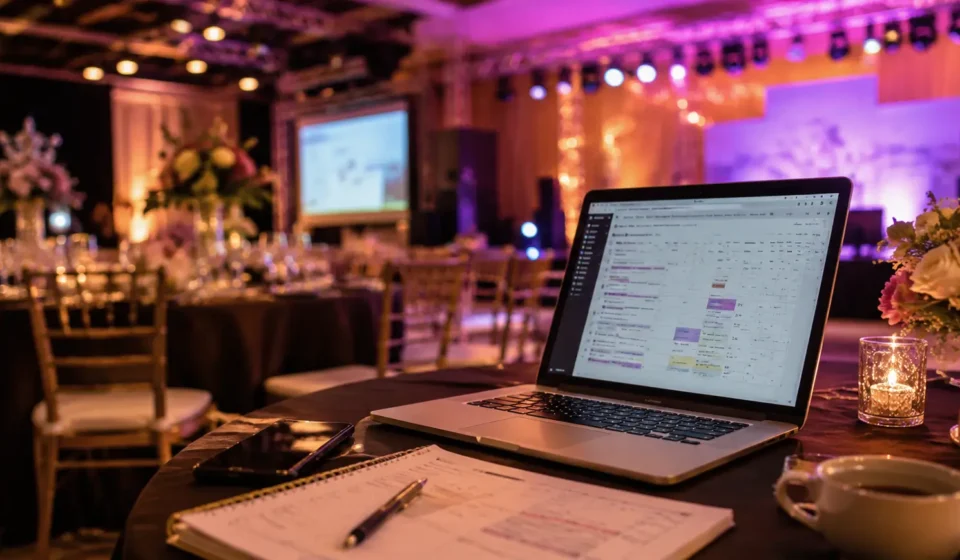
Image Source: AI Generated
Event marketing has changed the most visibly. AI tools are now handling the drafting of promotional sequences, social content calendars, and email campaigns in a fraction of the time they previously required. The creative strategy still requires a human. The execution has been substantially automated.
Guest engagement and personalization are improving at larger events where AI can process registration data to segment attendees and customize their experience – session recommendations, networking suggestions, personalized agendas. At smaller events, this is still more overhead than it is worth.
Meeting documentation and follow-through have improved meaningfully for teams using tools like Fireflies. The administrative debt of post-meeting action item tracking, which historically fell through the cracks, is now reliably captured.
The areas where AI has not meaningfully changed event planning are the ones that matter most – the creative vision of an event, the negotiation with a difficult vendor, the real-time judgment call when the audiovisual fails 20 minutes before the keynote, and the relationship with a nervous mother-of-the-bride who needs a human presence, not an efficient AI response.
Can AI Replace Event Planners?
No. And the reason is not sentimental.
Event planning at its highest level is fundamentally a human trust business. Clients hire event planners because they trust that person’s judgment, taste, relationships, and ability to be accountable when things go wrong. Those are not AI-replaceable qualities in 2026 or in any near-term future that current technology suggests.
What AI can replace are the components of the job that planners themselves often find least fulfilling – the repetitive drafting, the manual documentation, the copy-paste information transfer between platforms. Removing that work from a planner’s day does not diminish the planner. It gives them more capacity for the parts of the work that clients are actually paying for.
The planners I have seen thrive with AI are the ones who are clear-eyed about this distinction. They use AI to expand their capacity, not to imitate their judgment.
Practical Recommendations
Solo event planners: Start with ChatGPT or Claude for drafting and Fireflies for call documentation. These two tools address your two biggest time sinks – writing and follow-through – for under $40 per month combined. Add Canva Pro if design production is a regular pain point.
Small agencies: Add Zapier to the above stack to automate the information handoffs between your registration, CRM, and communication platforms. Notion AI is worth considering if you want to centralize project management and documentation in one place.
Corporate event teams: Prioritize Fireflies for meeting documentation, ClickUp AI or Notion AI for project coordination across team members, and Gemini if your organization runs on Google Workspace. The ROI case is easiest to make when you can document hours saved on administrative tasks across multiple team members.
Large event organizations: Evaluate Zapier at scale for workflow automation across your full event operations stack. The setup investment is significant but the ongoing efficiency gains are proportional to the volume of events you manage. Enterprise-level AI tools from Salesforce, HubSpot, and Microsoft are also worth evaluating at this tier.
For a broader look at how AI tools are reshaping professional workflows beyond event planning, see our posts on Top AI Tools Replacing Daily Tasks, 10 AI Skills Employers Are Paying For in 2026, and What Are AI Agents and Why Is Everyone Talking About Them.